


Whether you’re someone who obsesses over every color choice in your reels, or you’re just trying to keep your feed moving, there’s a gap. And that gap is costing you.
Most small business owners think brand consistency requires hours in design software. It doesn’t. When I was at Hearst Magazines (in my former corporate life in product design), we were acquiring magazines so rapidly that our design team couldn’t keep up with redesigns.
Maybe that’s because each site was built with it’s own distinct functionality and took anywhere from 1 to 3 (yes THREE) years to complete. I remember sleeping on the carpet of the 19th floor of Hearst Tower crossing the finish line of an almost 2 year redesign of Harper’s Bazaar. Meanwhile, we were acquiring titles and moving from managing 10 national titles to 50 titles globally. YIKES.
So I pitched the president of Hearst Digital (circa 2012?) on a radical idea: redesign a full website in three days.
How? Make the underlying functionality the same across everything and change just the visual layer based on the brand.
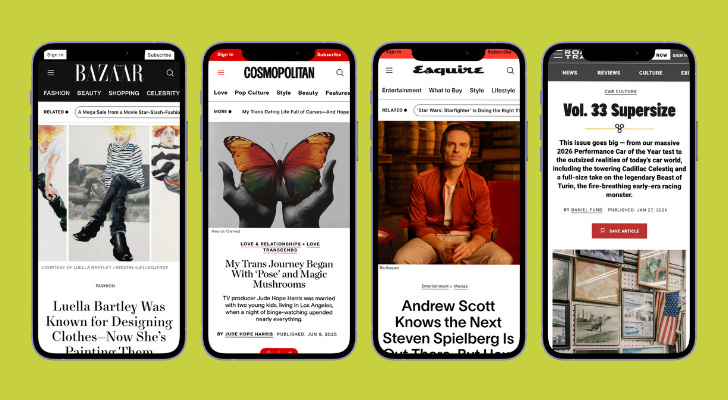
It worked…and they still use this system today!
Here’s why: What actually carries your brand forward are the smaller choices. Your colors. Your fonts. Your imagery.
Instagram (or whatever platform you are on) gives everyone the same functionality so it’s up to you to do the little things that keep your brand consistent.
You can build a portable design system that lives right on your phone. Once you have it, every piece of content you create will feel unmistakably yours.
Ready? Let’s Do IT
Introducing: The Social Kit

It's a single folder on your phone. Inside it are just a few simple assets that let you infuse your brand into anything you post, whether you're creating from scratch or resharing someone else's content. And you can set the whole thing up in under thirty minutes. Here’s how:
Building Your 00 Social Kit
Start by creating a folder on your phone called 00 Social Kit. The double zeros aren’t random. They force the folder to load alphabetically at the very top of your photo collections so you’re never digging around when you’re mid-post.
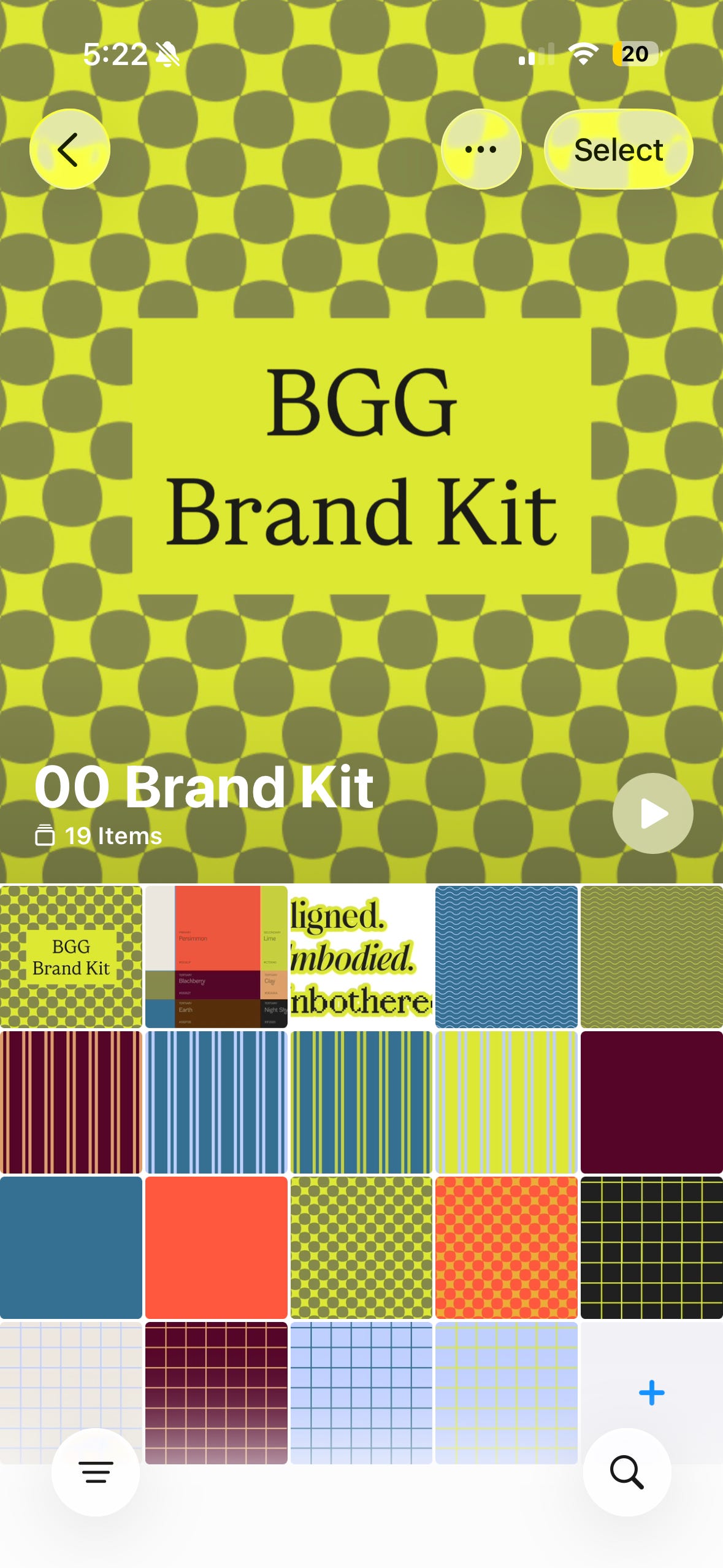
Inside that folder, you’ll keep three things.
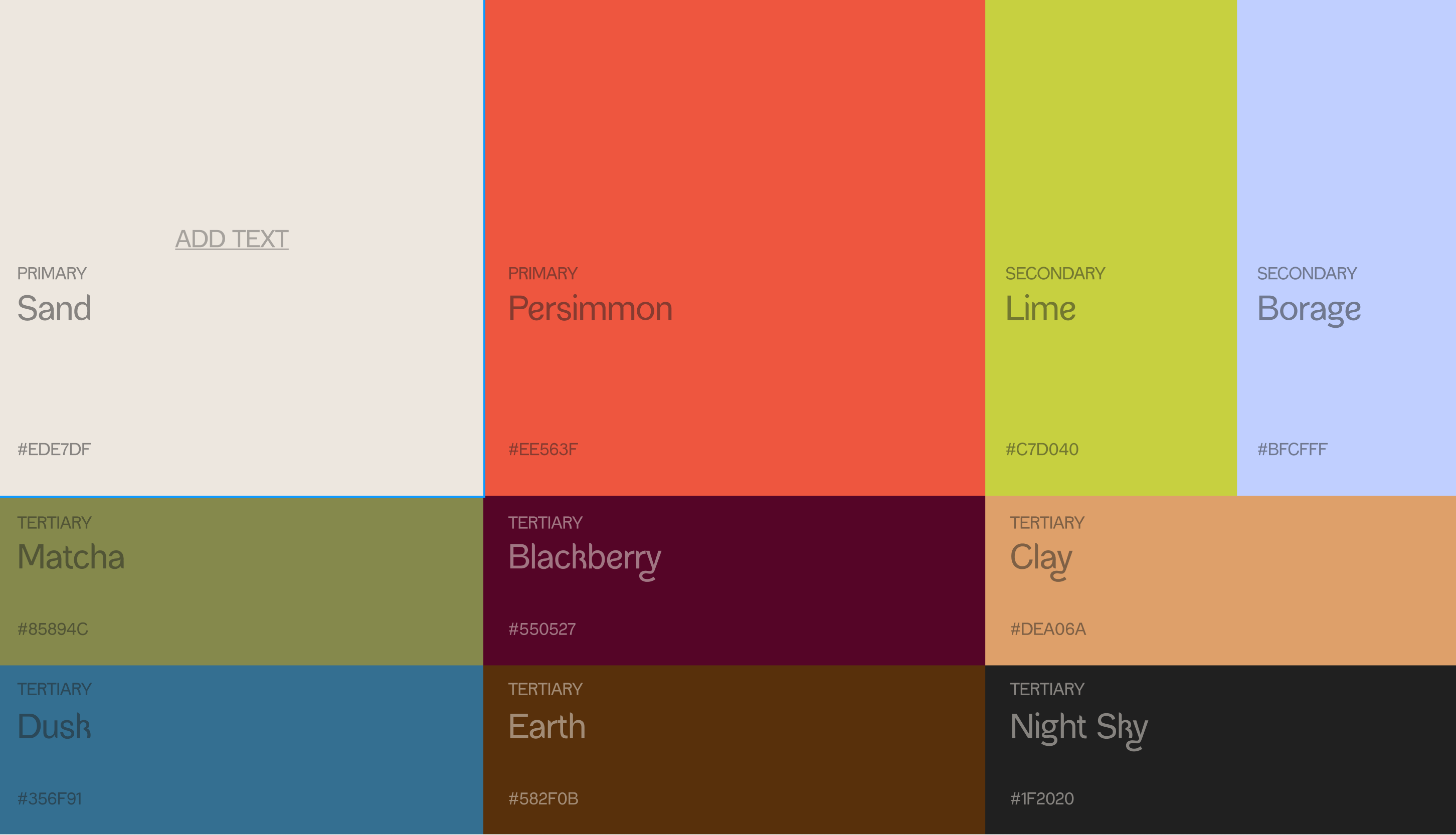
1. Your Color Palette Screenshot
This is a screenshot of your brand colors (bonus points for hex codes and all). When you’re creating a story or a reel inside Instagram, you’ll use this to eyedrop your exact brand colors for backgrounds, text, and overlays. No guessing. No “that’s close enough.” Your actual colors, every time.
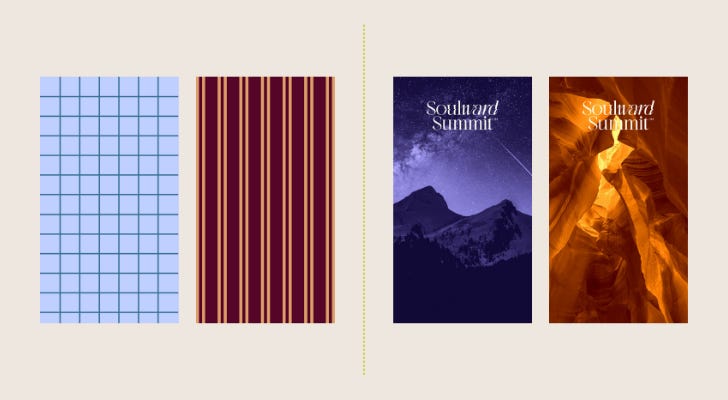
2. Your Patterns and Brand Images
These are images that feel like your brand. They could be patterns you created in Canva, textures you love, or photos that live in your colour palette. I keep two different sets because my brands have different vibes. Be Good Guide is pattern-heavy. Soulward Summit is photo-based. Neither is wrong. The point is that when you drop one of these into the background of a story or a reel, it instantly feels like you.
3. Your Stickers, Badges and Branded Artifacts
These are the fun ones. Custom graphics with transparent backgrounds that you can layer into your content using Instagram’s text and sticker features. Think of them as your personal stamp. A little logo badge, a signature element, something that says “this came from me” without you having to say a word.
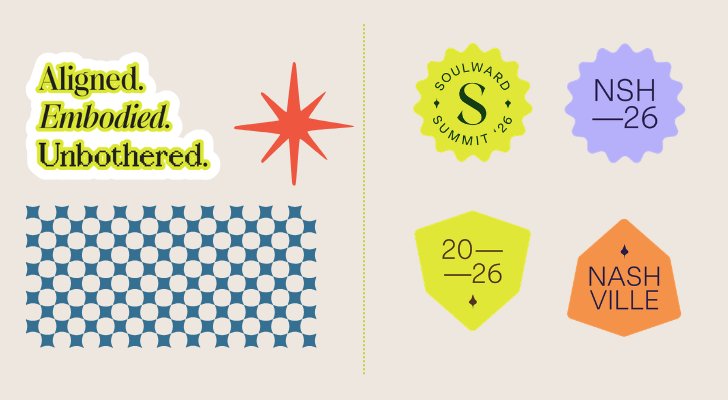
Where to source your components
You don’t need to create everything from scratch. Start with open source imagery from Vault Stock or Death to Stock or Unsplash (or whatever your favorite vendor is). Build stickers and badges in Canva. Or work with a brand designer to create custom pieces. The point is you’ve got a folder of assets that feel like you. Just the color palette goes a long way!
Ok now that you’ve got those things saved, let’s use them!
How to Use Your Social Kit in Instagram

1. Color Palette: Match Your Brand Colors Instantly
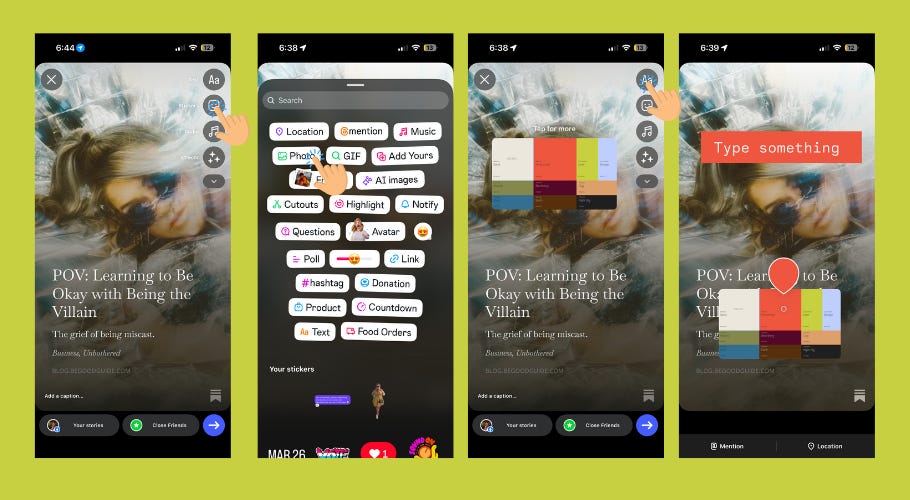
Add an image sticker and open your 00 Social Kit folder.
Pull up your color palette screenshot and add it to your canvas.
When adding text to a story or reel, tap the color selector and look for the eyedropper icon.
Use the eyedropper to sample your exact brand color. No guessing. No “close enough.” Your actual color, every time.
Once you’re done, delete the palette image.
2. Patterns: Create a Branded Background in Seconds
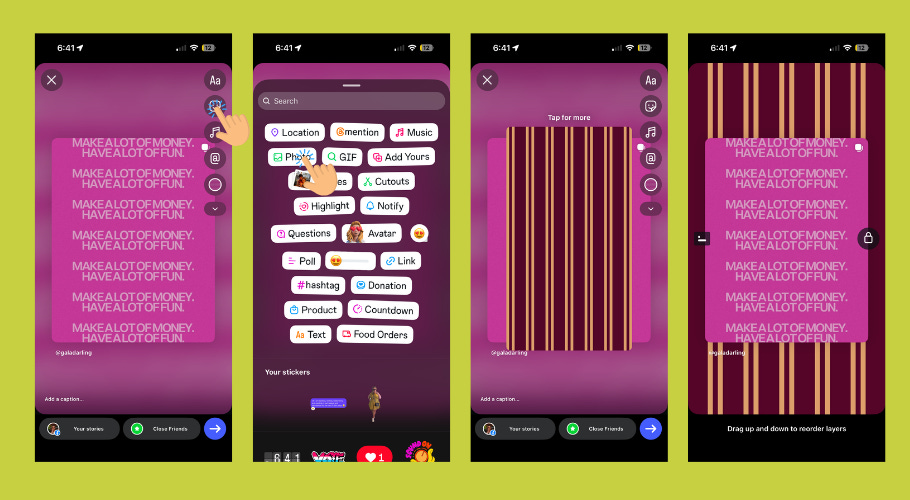
Add an image sticker and open your 00 Social Kit folder.
Choose your pattern or brand image and add it to your canvas.
Pinch to scale it up to cover the background.
Click and hold the pattern, then pull down to layer it underneath your text or reposted content.
3. Stickers and Badges: Layer Your Brand Artifacts
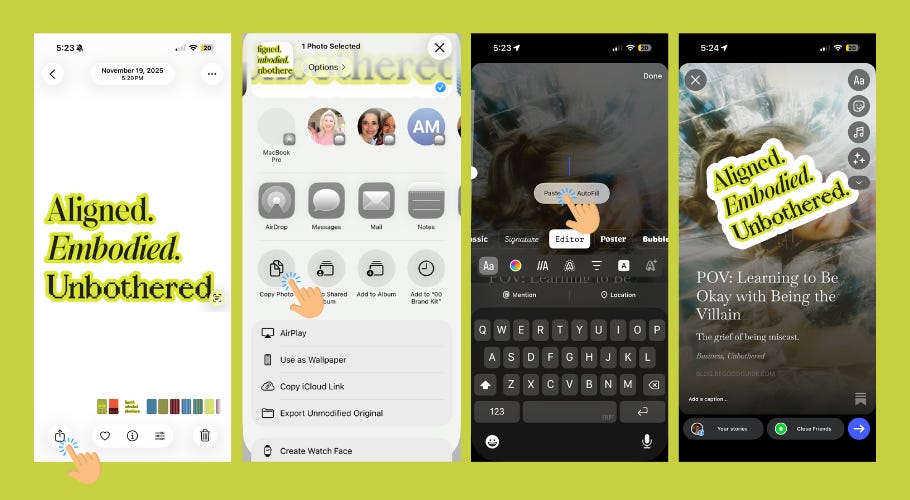
Open your Photos app and navigate to your 00 Social Kit folder.
Select your sticker or badge.
Tap the share button on the bottom left.
Scroll down and tap “Copy Photo.”
Open Instagram Stories and tap the text tool.
Click and hold, then tap “Paste.”
Your branded sticker will appear on your canvas. Scale and position as needed.
That's it. That's the whole system.


Once your 00 Social Kit is built, using it becomes second nature. You're not spending thirty minutes designing. You're spending thirty seconds grabbing what you need and layering it in. Your brand does the work for you.
You don't need to start perfect. Start with five pattern backgrounds and one badge. Use them. Get comfortable with the process. Then add to your kit as you create new assets or discover imagery that feels right. Your kit grows with your brand.
The point is to start now. Build it today. Use it tomorrow. And watch how much more intentional your feed becomes.


© 2026 Kmac LLC. All Rights Reserved.
DONE. So so good!
Super useful! Thanks!